

 DIRECT TOP-UP

 CARD
CARDSD Gundam G Generation Eternal Diamond Top Up Guide: How to Recharge on Kardz
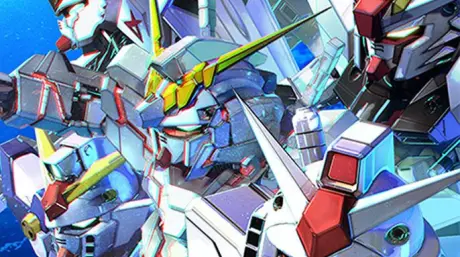
SD Gundam G Generation Eternal launched globally on April 16, 2025, and it's been pulling in both longtime Gundam fans and tactical RPG players who had never touched a Gundam game before. The game covers numerous Gundam series, features deep strategic grid-based combat, and includes a unit development system that lets free-to-play players evolve basic units into powerful SSRs through gameplay — not just gacha pulls. MiniReview
What Is SD Gundam G Generation Eternal?
SD Gundam is a series of games featuring chibi — Super Deformed — versions of the mechs and characters from the Gundam property. They are grid-based strategy games, and Generation Eternal draws from multiple entries across the Gundam timeline, with classics like the original Gundam or Zeta, to more unexpected ones like The Witch From Mercury.
The gameplay is standard for a tactics RPG — you control a squad of Mobile Suits assembled from what you've unlocked, command them to move along a grid, and battle enemies in turn-based combat. You can perform a movement and then have that unit attack or wait. Once all your units have acted, the enemy moves, and you can respond to their attacks by guarding, dodging, or countering. ApexReaper Reviews
The game tells the story of Gundam anime series through screenshots from the anime, some characters with voice-over, and clips from the actual shows running one to five minutes. You also take part in battles throughout the story, and units from the series you're currently playing get a power boost in those missions. After finishing a series' story, harder battles open up as additional challenges. YouTube
One thing worth knowing upfront: the game is surprisingly good compared to its gacha predecessors, inheriting gameplay mechanics from the non-gacha SD Gundam titles. It's a real tactical game first, gacha game second — which is why the community reception has been generally positive.
What Are SD Gundam G Generation Eternal Diamonds?
Diamonds are the premium currency in SD Gundam G Generation Eternal. They're used to summon new Mobile Suits and pilots through the gacha system, accelerate unit development, and unlock rare upgrades that aren't accessible through standard gameplay.
For players who want to pull specific units or clear content faster, Diamonds are the direct path. The game has a free-to-play route for patient players, but if you're targeting a specific Mobile Suit from a limited banner, Diamonds are how you get there reliably.
What's Available on Kardz
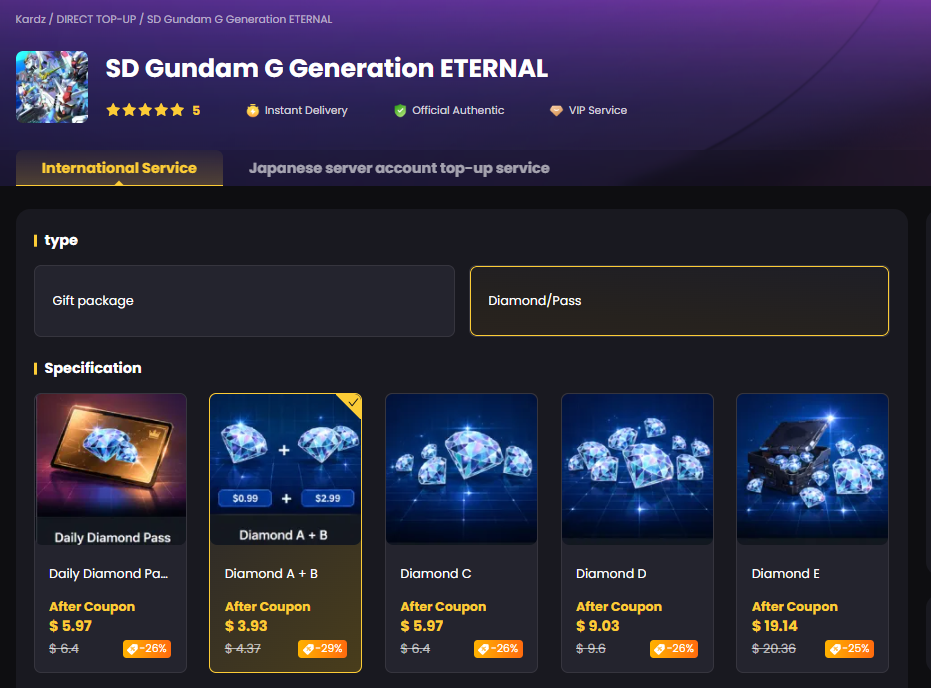
Kardz carries multiple Diamond pack options for SD Gundam G Generation Eternal, covering both the International Server and Japanese Server. The full lineup currently includes:
Gift Packages:
Daily Diamond Pass
Diamond A + B
Diamond C
Diamond D
Diamond E
Diamond F
Diamond G
All packs on Kardz are discounted compared to in-game pricing, with savings up to 28% depending on the pack. New Kardz users can stack an additional coupon on top of existing discounts for the first order.
Head to the Kardz SD Gundam G Generation Eternal page to see current pricing for each pack.
Important: Which Server Are You On?
Before placing any order, confirm your server. Kardz carries packs for both:
International Server — for players outside Japan
Japanese Server — for players on the JP server
Ordering the wrong server means your Diamonds won't arrive. Check in-game which server your account is registered on before selecting a pack.
How to Recharge SD Gundam G Generation Eternal on Kardz
Kardz uses a Login Top-Up method for SD Gundam G Generation Eternal. Here's how it works:
Step 1: Link Your Bandai Namco Account
Before you can top up, your game account needs to be linked to a Bandai Namco ID. This is required — Kardz tops up by logging into your account, so you need a registered email rather than a guest account.
To link your account: tap the menu in the bottom-right corner of the main page → select Data Transfer → register a Bandai ID and link it to your current game account.
If you ever switch devices, launch the game on the new device and tap Data Transfer in the top-left corner to restore your account.
Step 2: Go to the Kardz SD Gundam Page
Open kardz.com/game/sd-ETERNAL, select your server (International or Japanese), choose your pack type, and then pick the specific Diamond pack you want.
Step 3: Enter Your Account Details at Checkout
You'll need to provide:
Your Bandai Namco account email
Your account password
Your character/role name
Step 4: Complete Payment
Kardz supports Visa, MasterCard, PayPal, and various regional payment methods. Select what works for you and confirm the order.
Step 5: Stay Logged Out and Wait
After paying, log out of SD Gundam G Generation Eternal and don't log back in. Kardz support will process the top-up within 15 to 30 minutes. During peak periods it may take up to 30 minutes — if it goes beyond that, contact customer support directly.
Step 6: Confirm and Change Your Password
Once Kardz notifies you that the top-up is complete, log back into the game and verify your Diamonds arrived. Then go to your Bandai Namco account settings and change your password. Your login credentials were used during the top-up process — updating them immediately afterward is the standard security step.
A Few Things to Know Before You Order
Music packages are Android only. If you're on iOS, music-related packs won't apply to your account. Stick to standard Diamond packs.
Minors are not eligible to recharge. This is a platform policy — top-ups are for adult players only.
Refunds aren't available once Diamonds have been credited. Once the top-up lands in your account, the order is final. Make sure you're selecting the right pack and the right server before confirming payment.
Need a receipt? Contact Kardz customer support before submitting your order and request one in advance. It can't be added after the order is processed.
If Something Goes Wrong
No Diamonds after 30 minutes: Contact Kardz support with your order number. Support is available daily from 9:30 AM to midnight. They'll follow up on the order directly.
Wrong pack ordered: Contact support immediately before the order is processed. Once Diamonds have been credited, the order can't be reversed.
Account login issues during top-up: Kardz support may need to reach you for a verification step during the process. Stay reachable after placing your order.



.3889d0fc-74ac50710b044340bd44dab8a52423fc-3586d75109ce407d9e379eb27e699030.png?x-oss-process=image/resize,m_fill,h_160,w_120/format,webp)





-2a715a59b9ac4d34bbed497d36983382.png?x-oss-process=image/resize,m_fill,h_160,w_120/format,webp)