

 DIRECT TOP-UP

 CARD
CARDHow to Buy Azur Lane Gems Safely?


How to optimize your Gem spending for the Azur Lane March 2026 Spring Event?
Commander, welcome to the March 2026 Supply Briefing. With the "Cherry Blossom Festival" now live, the demand for Gems (Red Gems) has surged due to the new wave of stunning skins and dorm expansions. Here is how you can manage your resources effectively via Kardz.

1. Why is March 2026 a Critical Window for Top-Ups?
Limited Spring Skins: The March L2D skins are only available for two weeks. These high-quality animations are the highlight of the season.
First-Top-Up Double Bonus: To celebrate the Spring Season, Kardz has refreshed the Double Gem Bonus for all tiers. This is the highest ROI you can get this year.
Promise Ring Bundles: Special discounts on Promise Rings are available this month. It’s the perfect time to oath your favorite shipgirls for a cheaper price.
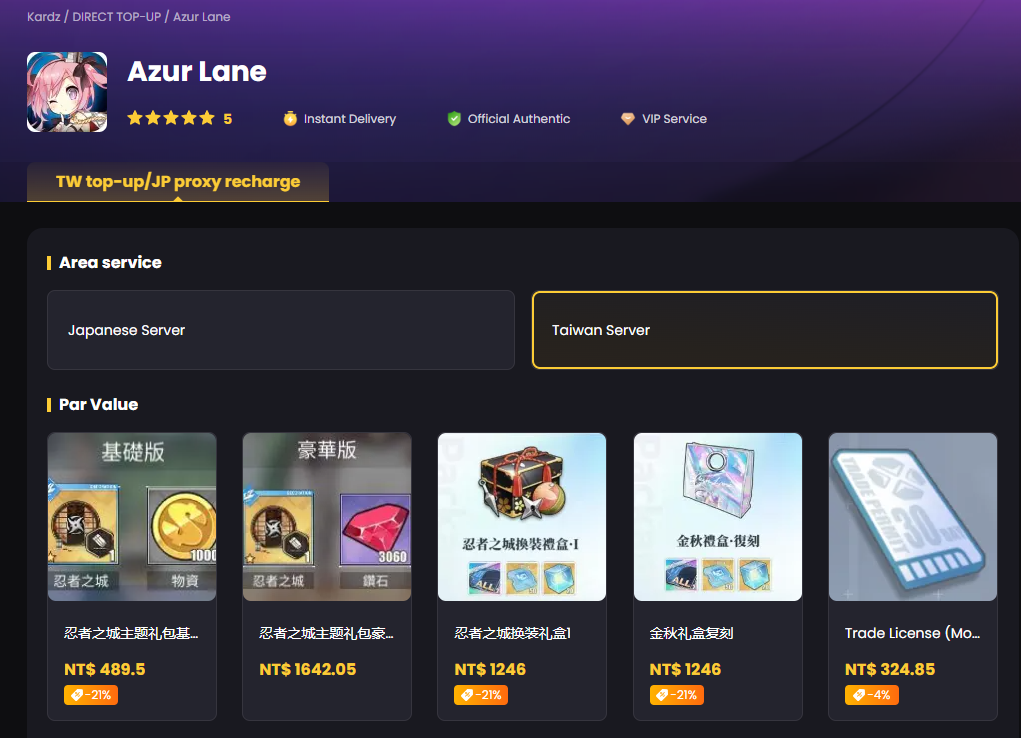
2. What are the steps to top up Azur Lane on Kardz?
Locate UID: Tap your avatar in the top-left corner to find your User ID and Server Name.
Selection: Visit the [Kardz Azur Lane Shop] and choose your desired Gem bundle.
Instant Delivery: No passwords required. Gems are delivered via official API within minutes, keeping your account 100% secure.
3. Expert Efficiency Tips
Expand the Dorm First: Use your top-up Gems to unlock the second floor of the Dorm. This ensures your shipgirls recover morale faster, which is crucial for long-term farming.
Dock Space Management: With new ships arriving this month, dedicate at least 200-500 Gems to expand your Dock to avoid management fatigue.
4. Why Choose Kardz for Your Naval Career?
100% Official Channels: We only use authorized methods. No risk of bans or revoked Gems—your progress is safe with us.
24/7 Global Support: Our team responds within 5 minutes, ensuring your transaction is smooth regardless of your timezone.
Privacy First: We only need your UID. Your login credentials stay with you, ensuring your account remains 100% under your control.


-2a715a59b9ac4d34bbed497d36983382.png?x-oss-process=image/resize,m_fill,h_160,w_120/format,webp)






-9a889cb91d394019b4e9a2463137b396.png?x-oss-process=image/resize,m_fill,h_160,w_120/format,webp)