

 DIRECT TOP-UP

 CARD
CARDPUBG G-Coin Top-Up Guide: April 2026 aespa & Stellar Blade Collab

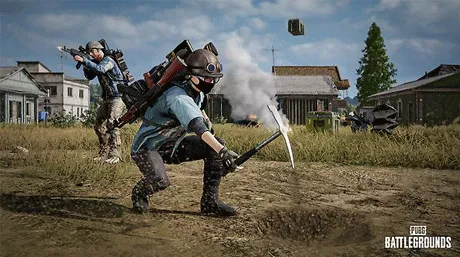
As a veteran who has spent countless hours on the battlefields of Erangel and Miramar, I know that in PUBG: BATTLEGROUNDS, tactics are vital—but your "drip" is also part of your combat effectiveness.
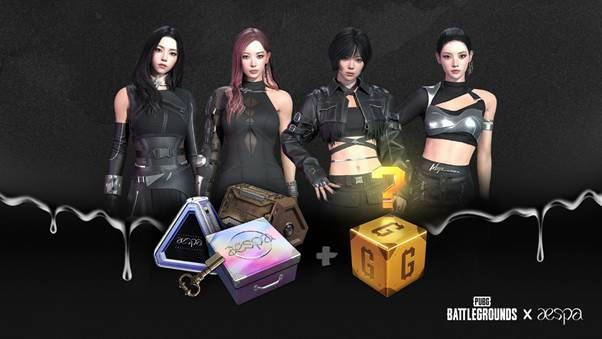
As of April 2026, PUBG has launched a massive series of updates: the PUBG x aespa collaboration has made a triumphant return, alongside the debut of the highly anticipated PUBG x Stellar Blade crossover. With new progressive weapon skins like the Kar98k - Cosmic Caliber hitting the Hideout, securing G-Coins is the only way to lock down these limited-time cosmetics. To help you resupply safely and efficiently, I’ve put together this comprehensive top-up and safety guide using the Kardz platform.
I. April 2026 Resource Priority: Where to Spend?
1. Limited Edition Highlights: aespa & Stellar Blade
aespa Collaboration: If you missed out on the previous collab, this is your chance to grab the KARINA, WINTER, GISELLE, and NINGNING sets. New emotes like "Supernova" and "Whiplash" are also available for 1,000 G-Coin each.
Stellar Blade: This crossover includes Eve-themed outfits, the "Milky Pop" skin, and exclusive Loot Caches. Some items are only craftable via the Workshop using tokens found in G-Coin packs.
2. Why Choose Kardz Over Shady "Cheap" Sellers?
Safe Official CDKs: PUBG is extremely strict about "Black Card" (stolen credit card) recharges, which often lead to 10-year bans. Kardz provides official CDK (Global Codes) that you redeem yourself. No account sharing is required, making it 100% secure.
Instant Delivery: Limited-time shop items like the aespa Step-Up Packs have tight windows. Kardz’s automated system ensures you receive your code via email or your order history within 1-3 minutes.
II. Step-by-Step Top-Up Guide on Kardz
Topping up your G-Coin via Kardz is straightforward. Just follow these four steps:
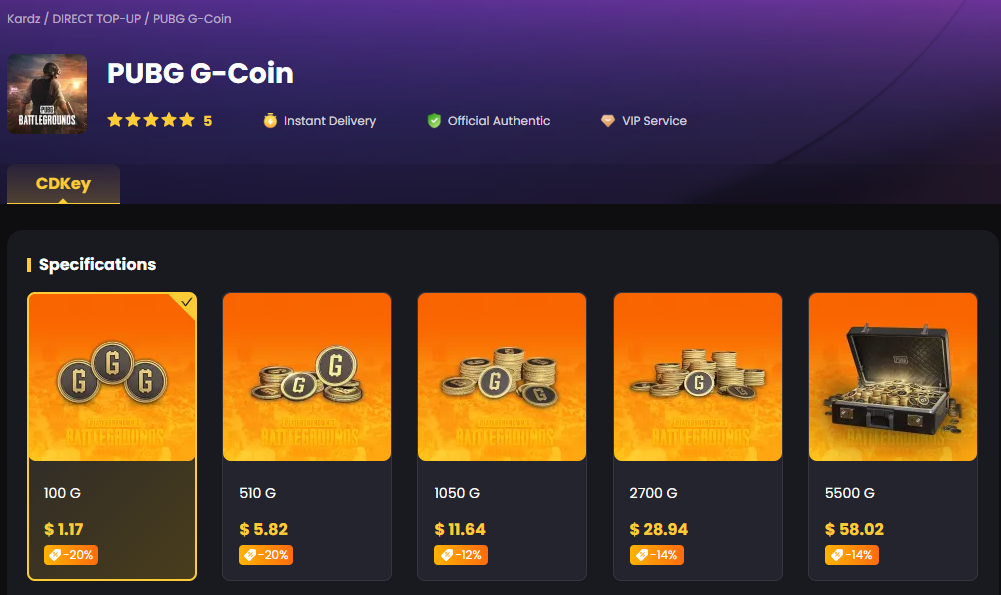
1. Step 1: Purchase the CDK on KardzGo to the PUBG G-Coin section on Kardz. Select your desired denomination (e.g., 1,100 G-Coin or the 11,200 G-Coin bundle). After completing the payment, you will receive a digital CDK consisting of numbers and letters.
2. Step 2: Open the In-Game StoreLaunch PUBG: BATTLEGROUNDS on your PC (Steam). From the main lobby, navigate to the STORE tab in the top menu.
3. Step 3: Enter Your CodeIn the Store page, look at the bottom-left corner and click on the "Add Bonus/Gift Code" button. Carefully paste or type the CDK you received from Kardz into the pop-up box.
4. Step 4: Confirm and RedeemClick "Redeem." The system will confirm the transaction, and the G-Coin balance will be added to your account instantly. You can now head to the Workshop or Hideout to start your crate openings.
III. Frequently Asked Questions (FAQ)
Q1: Do I need to give my Steam account or password to Kardz?A: Absolutely not. Kardz provides a code-based redemption system. You enter the CDK yourself inside the game. Any platform asking for your login credentials to "recharge" your account carries a high risk of theft or permanent game bans.
Q2: Does G-Coin have an expiration date?A: G-Coins purchased via CDKs typically have a 5-year validity. However, "Bonus" or "Free" G-Coins earned through in-game events often expire within 3 months. It is recommended to spend your time-limited currency first.
Q3: Can I use Kardz codes for PUBG on PS5 or Xbox?A: No. Currently, the PUBG G-Coin CDKs offered by Kardz are specifically for the PC (Steam) version. Console players must purchase G-Coins directly through the PlayStation or Xbox Store.
Q4: What should I do if my code shows as "Invalid" or "Already Used"?A: First, ensure there are no accidental spaces before or after the code when pasting. If the error persists, contact Kardz’s 24/7 Live Support immediately. Since all Kardz CDKs are sourced from official channels, they provide a 100% activation guarantee.
Expert Verdict: Every supply drop counts, and every limited skin tells a story. Grab your aespa gear and the Stellar Blade Eve set—see you on the battlegrounds!


-2a715a59b9ac4d34bbed497d36983382.png?x-oss-process=image/resize,m_fill,h_160,w_120/format,webp)






-9a889cb91d394019b4e9a2463137b396.png?x-oss-process=image/resize,m_fill,h_160,w_120/format,webp)